Debug Tests in Selenium IDE for Chrome
Q
How to debug tests in Selenium IDE for Chrome?
✍: FYIcenter.com
A
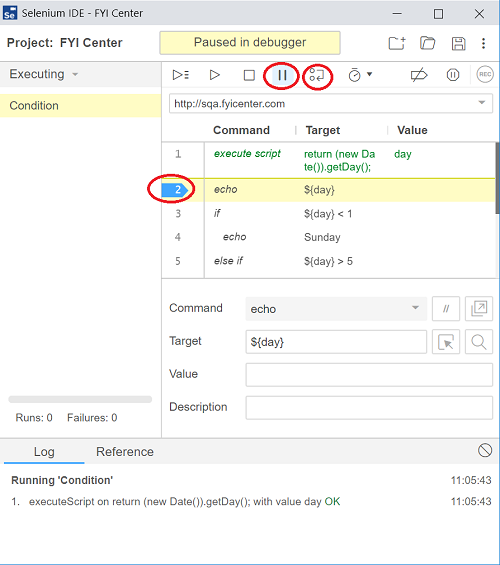
 There are several tools you can use to debug tests in Selenium IDE for Chrome,
1. Use "echo" commands to print out information in the log output.
2. Use breakpoints to pause execution to inspect the Web page in the browser.
3. Click "Resume" icon to resume execution from pause.
4. Click "Step over" icon to execute only the next command.
⇒ Select Page Element in Selenium IDE for Chrome
⇐ Use "while ..." Command in Selenium IDE for Chrome
2019-07-18, ∼3092🔥, 0💬
Related Topics:


