Run Tests with "Test Batch Runner"
Q
What Run Tests with "Test Batch Runner"?
✍: FYIcenter.com
A
 You can follow this tutorial to run tests with "Test Batch Runner":
1. Start "Test Batch Runner". You see "Test Batch Runner" starts with an empty test batch list.
2. Open an existing "Test Batch Runner" file or build a new list of tests with "Tests > Add Test from Folder" menu.
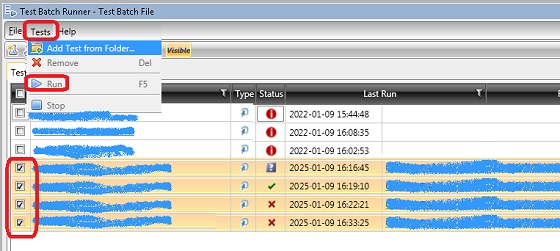
3. Check the checkbox for each test you want to in the test list.
4. Click "Test > Run" menu. You see selected tests start to run.
The following picture shows you how to run tests with "Test Batch Runner":
2018-03-04, ∼4256🔥, 0💬
Related Topics:

