Run Recorded Session in JMeter
Q
How to run the recorded Web session in JMeter?
✍: FYIcenter.com
A
 If you have a Web session recorded with the JMeter proxy server,
you can follow this tutorial to
run it in JMeter without any changes.
If you have a Web session recorded with the JMeter proxy server,
you can follow this tutorial to
run it in JMeter without any changes.
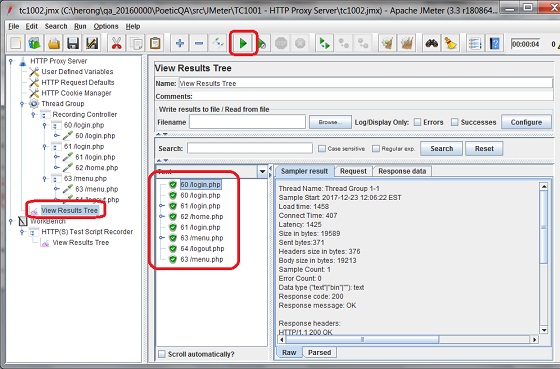
1. Run JMeter and open "Login-Logout-Session.jmx". You see the recorded session displayed in the test plan.
2. Click "Run > Start" to run the recorded session again.
3. Wait for all samplers to finish.
4. Open "View Results Tree". You all HTTP request samplers are executed correctly.
The picture below shows you how to run recorded Firefox session in JMeter:
⇒ Revise Recorded Session in JMeter
⇐ Record Web Session with JMeter
2018-07-18, ∼3340🔥, 0💬


