What Is Chrome IDE as Chrome Extension
What Is Chrome IDE as Chrome Extension?
✍: FYIcenter.com
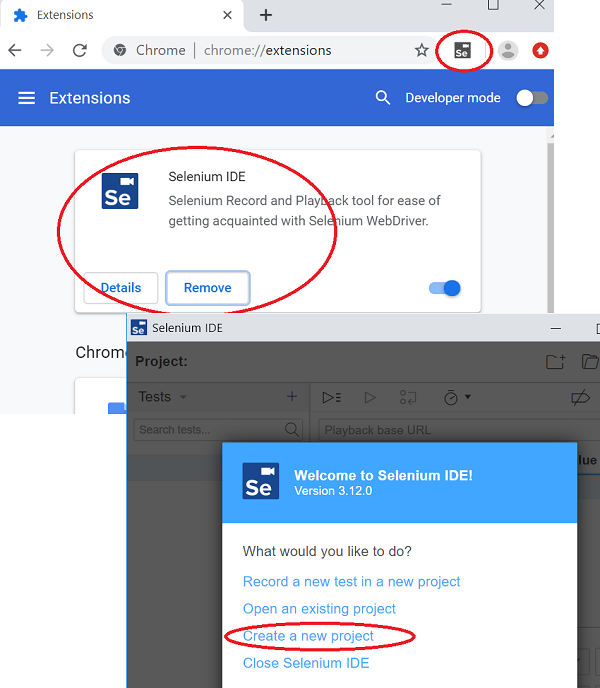
 Chrome IDE as Chrome extension is
a Selenium Record and Playback tool for ease of getting acquainted with Selenium WebDriver.
Chrome IDE as Chrome extension is
a Selenium Record and Playback tool for ease of getting acquainted with Selenium WebDriver.
You can follow this tutorial to install and try it.
1. Start Google Chrome browser and go to Chrome extension manage with this address chrome://extensions/.
2. Search and locate "Selenium IDE" from Google Web store and click "Install" to install the extension.
3. Click the "Selenium IDE" icon in the Chrome Web address bar to start Selenium IDE.
4. Click "Create a new project" from the menu when you start Selenium IDE for the first time.
5. Enter "FYI Center" as the project name. You see Selenium IDE started and ready to use.
⇒ Record Test with Selenium IDE on Chrome
⇐ Selenium IDE - Chrome Extension
2019-09-27, ∼3164🔥, 0💬
Related Topics:
