Open Saved Tests on Selenium IDE for Chrome
Q
How to Open Saved project on Selenium IDE for Chrome? I have a number of tests stored in that project.
✍: FYIcenter.com
A
 Open Saved project with Selenium IDE for Chrome is easy.
Just follow this tutorial.
Open Saved project with Selenium IDE for Chrome is easy.
Just follow this tutorial.
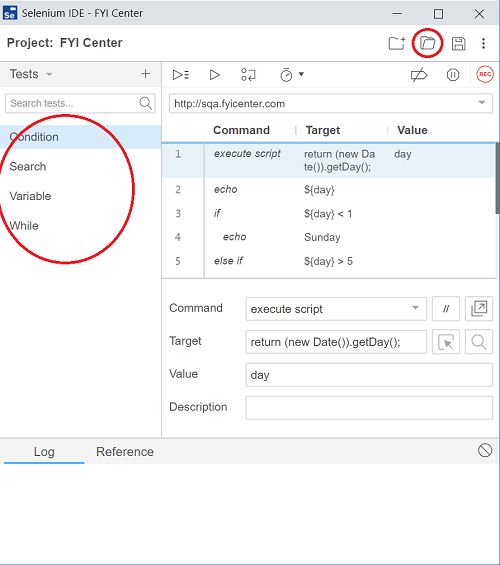
1. Click "Open" icon in the menu area in the Selenium IDE window.
2. Find and select the project file you saved previously like "C:\fyicenter\FYI-Center.side".
All tests from the project will be restored.
⇒ Convert Chrome Selenium IDE Test to Java
⇐ Save Recorded Test on Selenium IDE for Chrome
2019-09-16, ∼3939🔥, 0💬
Related Topics:
