Run Recorded Test on Selenium IDE for Chrome
Q
How to Run Recorded Test on Selenium IDE for Chrome?
✍: FYIcenter.com
A
 Once you have recorded your navigation steps with Selenium IDE on Chrome,
you run it to see if it works again or not.
Once you have recorded your navigation steps with Selenium IDE on Chrome,
you run it to see if it works again or not.
1. Open the test you want to run on the Selenium IDE window.
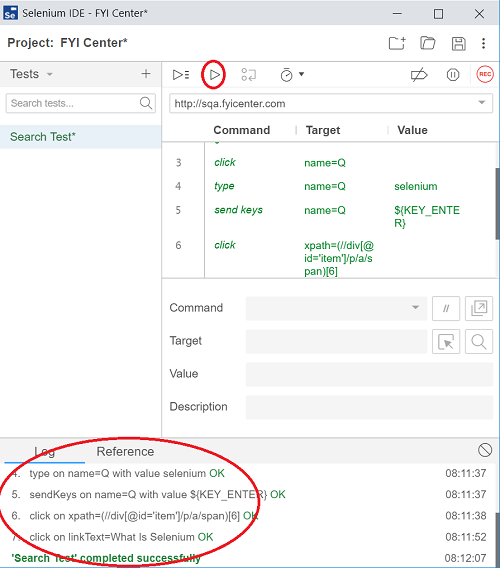
2. Click "Run" icon in the menu area. You see a Chrome windows opens and performs recorded navigation steps automatically.
3. Review run log messages in "Log" area at the bottom of the Selenium IDE window. Every step should say "OK"
⇒ Save Recorded Test on Selenium IDE for Chrome
⇐ Review Recorded Steps on Selenium IDE for Chrome
2019-09-16, ∼2456🔥, 0💬
Related Topics:
